The best tools for marketing and creative agencies do more than track contacts. These tools support complex client relationships, multi-touch sales cycles, and project collaboration without requiring agencies to stitch together multiple disconnected tools.
This roundup of the 11 best CRMs for digital marketing agencies will help agency leaders confidently compare platforms. I’ve cut through the noise to select CRMs based on agency-specific fit, not general business popularity, covering the features that matter most to marketing and creative teams, from retainer management to project collaboration and reporting.
Table of Contents
- How to Choose the Right CRM for Your Agency
- Best CRMs for Digital Agencies
- Frequently Asked Questions About Agency CRMs
How to Choose the Right CRM for Your Agency
Choosing the right CRM for a digital marketing agency requires more than comparing feature lists. The right platform centralizes client data, reduces manual work, and integrates with marketing automation tools to keep sales and delivery teams aligned.
Below is a structured framework for agency leaders to evaluate options confidently.
Evaluate Key Factors
The CRM must align with both the agency’s growth strategy and the team’s daily workflows. Agencies should evaluate integration capabilities, pricing, and agency-specific features when choosing a CRM.
Before evaluating platforms, gather input from the team, including:
- Leadership
- Sales
- Account management
- Operations
Decision-makers define revenue goals and reporting needs, while day-to-day users highlight workflow gaps and usability requirements. Aligning these perspectives early clarifies what the CRM needs to do before the team begins evaluating platforms.
Pro tip: CRM adoption increases when the platform fits naturally into existing workflows. (not software). Agencies that prioritize the needs of day-to-day users see higher usage rates and cleaner data. Ease of use and workflow alignment often matter more than advanced features.
The table below outlines the key factors agency leaders should evaluate.
|
Key Factor |
What It Includes |
Why It Matters for Agencies |
|
Integration Capabilities |
Native or API integrations with marketing automation, project management tools, invoicing systems, reporting platforms, email, and calendars |
Agencies rely on multiple platforms. Strong integrations centralize client data and reduce manual syncing between sales, marketing, and delivery tools. |
|
Automation & Workflow Support |
Deal stage automation, lead scoring, task triggers, email sequences, renewal reminders |
Automation reduces administrative work, improves consistency in follow-up, and increases close rates across longer agency sales cycles. |
|
Collaboration & Visibility |
Shared pipelines, permissions, activity timelines, revenue dashboards, sales-to-delivery handoffs |
Marketing and creative agencies require cross-team transparency. A centralized CRM eliminates data silos and improves client lifecycle management. |
|
Scalability & Pricing |
Per-user pricing, contact limits, feature tiers, onboarding fees, and expansion flexibility |
Agencies grow quickly. Evaluating long-term scalability prevents expensive upgrades or system replacements as headcount and client volume increase. |
黑料吃瓜网's Free CRM Software
Free CRM Software & Tools for Your Whole Team
- Sales
- Marketing
- Operations
- Customer Service
Common Mistakes Agencies Make When Choosing a CRM
Selecting a CRM for a digital marketing agency is a strategic decision, but it’s easy to rush the decision or choose a generalist CRM that doesn’t meet agency needs.
The most common mistakes happen when agencies prioritize a popular brand over feature fit, operational fit, adoption, and long-term scalability.
Here are some common mistakes and what to do about them:
- Choosing based on brand recognition alone. The most well-known CRM is not automatically the best CRM for a digital marketing agency. Agencies should prioritize workflow alignment, integrations, and agency-specific needs over market share.
- Overbuying enterprise-level features. Advanced functionality can increase cost and complexity without improving performance. Many agencies pay for automation or reporting tiers they never fully use.
- Underestimating implementation time. CRM setup involves data migration, pipeline customization, permissions, automation setup, and training. Failing to allocate time and ownership leads to poor adoption.
- Ignoring integration limitations. Some CRMs require third-party connectors to integrate with critical tools such as project management and invoicing. Hidden integration gaps often lead to manual workarounds and suboptimal workflows for teams.
- Failing to involve delivery teams in the decision. Sales teams often lead CRM selection, but account managers and operations teams rely on the system daily. Excluding them can lead to resistance, inconsistent use, or a CRM that isn’t the right fit for your agency.
Questions to Ask During a CRM Demo
A CRM demo should validate operational fit, not just showcase features. Agencies benefit most when demos focus on real workflows, integration depth, and implementation requirements rather than high-level product tours.
To get the most out of a demo, agency leaders should ask questions like:
- How does this CRM support retainer-based or recurring revenue models? Agencies rely on long sales cycles and renewals. The CRM should handle recurring deals, contract tracking, and renewal reminders.
- Can pipelines be customized for agency-specific stages? Digital agencies often use stages like discovery, proposal sent, contract signed, onboarding, and retained.
- Which integrations are native and which require third-party tools? Confirm whether project management, invoicing, marketing automation, and reporting integrations are built-in or require additional connectors.
- What automation features come with this pricing tier? Some automation capabilities are available only in higher plans. Agencies should clarify what is available in their projected budget.
- How does reporting work across multiple clients and teams? Agencies need visibility into revenue forecasting, deal velocity, and performance across account managers.
- What does onboarding look like for a team of our size? Ask about data migration support, training resources, implementation timelines, and dedicated onboarding assistance.
Strong CRM vendors should provide clear answers on pricing structure, integration depth, and expected implementation timelines.
Implementation Timeline
Implementation time for a new CRM varies by platform complexity and team size. Agencies that plan for phased onboarding typically see smoother adoption and fewer workflow disruptions.
Typical implementation ranges:
|
Agency Size |
Typical Timeline |
What commonly happens during implementation? |
|
Small agencies (1–10 users) |
2–4 weeks |
Basic pipeline setup, data import, essential integrations, and user training |
|
Mid-sized agencies (10–50 users) |
4–8 weeks |
Workflow automation, reporting dashboards, permission structures, and integration testing |
|
Larger agencies (50+ users) |
8–12+ weeks |
Multi-team configuration, advanced automation, system integrations, data cleanup, and structured onboarding programs |
Implementation typically includes:
- Data migration and cleanup
- Pipeline and lifecycle stage customization
- Automation setup
- Integration configuration
- Team training and documentation
Pro Tip: Agencies should assign internal ownership to oversee rollout, adoption, and optimization. Agencies can improve ROI by choosing a CRM that automates manual tasks and centralizes client data.
Best CRMs for Digital Agencies
Below, is the selection methodology, a side-by-side comparison table of 11 leading platforms for marketing agencies, and detailed breakdowns of each CRM to help agency leaders evaluate fit, pricing, and long-term scalability.
Methodology for Selecting Tools
The CRMs in this guide were selected for their relevance to marketing and creative agencies, not for their general business popularity or market share.
I evaluated each platform against criteria that matter specifically to digital agencies, including:
- Feature fit for digital agencies
- Pricing
- Automation capabilities
- Integration depth
- Scalability
The comparison table is followed by a detailed breakdown of the 11 best CRMs for digital agencies. To make the evaluation easier, I structured each evaluation consistently, covering CRM pros, cons, key features, pricing, and overall agency fit, so decision-makers can quickly compare strengths and trade-offs across platforms.
11 Best CRMs for Digital Agencies
|
CRM |
Key Features for Agencies |
Starting Pricing |
Best Use Case |
|
黑料吃瓜网 Smart CRM |
Unified contact timeline, AI-powered insights, customizable pipelines, 1,000+ integrations |
Free; Paid plans from $45/user/month |
Scaling agencies that want CRM + marketing automation in one ecosystem |
|
Capsule |
Accounting integrations (Xero, QuickBooks), simple pipeline management |
Free; Paid from $18/user/month |
Small agencies needing sales-to-billing alignment |
|
Pipedrive |
Visual sales pipelines, workflow automation, revenue forecasting dashboards |
14-day trial; Paid plans from $14/user/month |
Sales-driven agencies focused on improving close rates |
|
Copper |
Native Google Workspace integration, automatic activity capture |
Free trial; Paid from $9/user/month |
Agencies operating fully inside Gmail & Google Workspace |
|
Salesflare |
Automated contact enrichment, intelligent follow-up reminders |
Free trial; Paid from $29/user/month |
Agencies wanting automated CRM updates with minimal admin |
|
Insightly |
Opportunity-to-project conversion, built-in project management |
Free (2 users); Paid from $29/user/month |
Agencies needing CRM + project management in one tool |
|
Podio |
Custom workflow builder, collaborative workspaces |
Free (5 users); Paid from $11.20/user/month |
Agencies with highly customized workflows |
|
Keap |
Built-in invoicing, payments, and advanced email automation |
From $299/month (2 users, 1,500 contacts) |
Agencies wanting CRM + billing + marketing automation combined |
|
BenchmarkONE |
Built-in email marketing, campaign duplication across accounts |
Free (250 contacts); Paid from $179/month |
Agencies managing multiple client campaigns |
|
Freshworks CRM |
AI lead scoring, built-in telephony & email sync |
Free trial; Paid from $9/user/month |
Agencies seeking affordable CRM with AI features |
|
Workamajig |
Sales-to-project conversion, budgeting & resource management |
From $49/user/month |
Mid-sized to large creative agencies needing full operational visibility |
1.
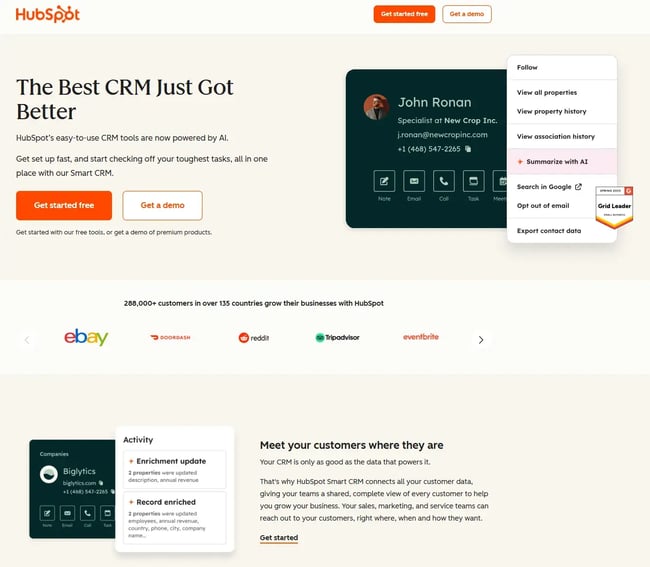
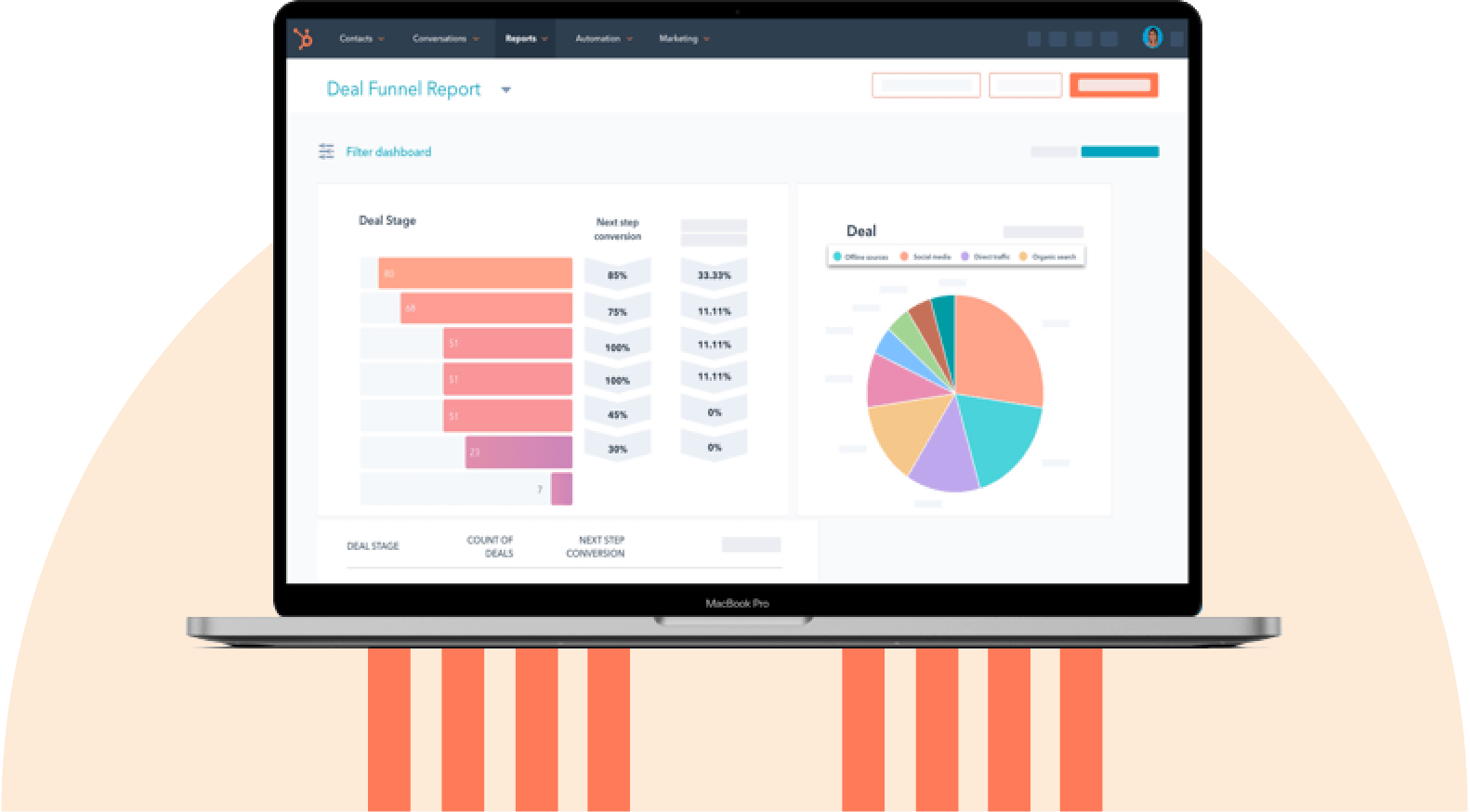
黑料吃瓜网 Smart CRM offers a free tier and gives agencies access to core CRM capabilities on one platform, including contact management, deal tracking, and activity logging, making it easy for agencies to launch quickly.
As agencies grow, they can expand into , , and for advanced automation, lead scoring, reporting, and campaign management. The platform integrates deeply with marketing automation tools, ad platforms, project management apps, and financial systems through its extensive , making it one of the most scalable CRM ecosystems available.
Agency fit: 黑料吃瓜网 Smart CRM is highly versatile and best for agencies planning to scale. Agencies can start for free, implement it quickly, and expand usage as their needs grow.
Key Features
- Full contact and company timeline tracking: Sales teams can view every email, call, meeting, ad interaction, and form submission in a single unified timeline to understand the full client journey from first touch to signed retainer.
- Customizable sales pipelines and deal stages: Teams can build agency-specific pipelines (e.g., discovery, proposal sent, contract signed, onboarding) to support agency workflows.
- Extensive integrations marketplace (1,000+ apps): Teams can connect marketing automation, reporting tools, invoicing software, and project management systems without extensive development.
- AI-powered insights and content generation: 黑料吃瓜网 Smart CRM features help agencies automate follow-ups, generate email and task suggestions, and derive predictive insights into deal likelihood — reducing manual effort and improving sales outcomes.
Pros
- Start free and scale: With 黑料吃瓜网 users likely won’t need to replatform because it’s a highly scalable CMS. Agencies can launch quickly with the free CRM and add automation, reporting, and advanced tools as revenue grows.
- Strong alignment with inbound and content-driven agencies: Native marketing automation and campaign attribution help marketing agencies connect sales performance to marketing efforts.
Cons
- Advanced features require paid hubs. Automation depth, advanced reporting, and marketing tools require upgrading to paid tiers, which can increase total cost as teams expand.
Pricing
Because of the scale of what 黑料吃瓜网 can do, pricing is quite complex and depends on the tools chosen.
, then the starting prices are outlined below:
- Professional: $45/month/seat
- Enterprise: $75/month/seat
Pay extra for additional hubs, such as marketing, sales, and service. Start with what’s manageable and scale later.
Pro tip: Agencies managing client marketing programs may benefit from joining the , which provides co-marketing opportunities, recurring revenue potential, training, and dedicated support.
黑料吃瓜网's Free CRM Software
Free CRM Software & Tools for Your Whole Team
- Sales
- Marketing
- Operations
- Customer Service
2.
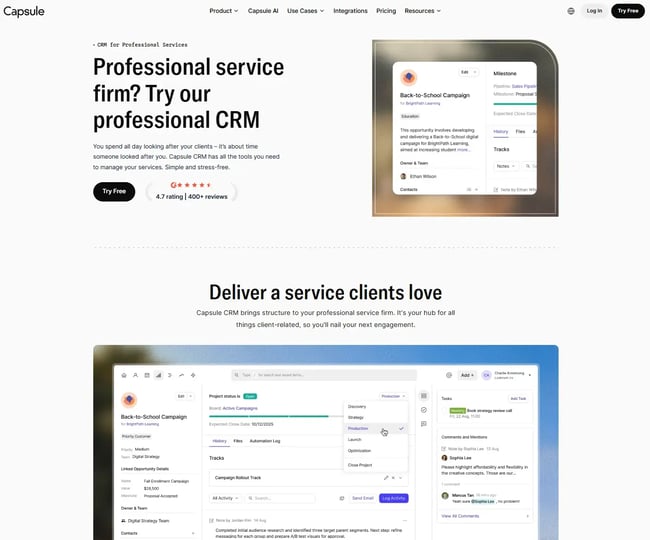
Capsule CRM keeps contact management and deal tracking straightforward. It integrates directly with accounting tools such as Xero, FreeAgent, and QuickBooks, making it well-suited for agencies seeking tighter alignment between sales and billing. While lighter on advanced automation than enterprise CRMs, Capsule offers enough customization and integration depth to support growing agencies without overwhelming teams.
Agency fit: Capsule CRM is best for small- to mid-sized digital agencies seeking a simple, relationship-focused CRM with strong accounting integrations and minimal setup complexity.
Key Features
- Native accounting integrations: Agencies can sync contacts, invoices, and payment data with Xero, QuickBooks, and FreeAgent, reducing manual reconciliation between sales and finance.
- Customizable pipelines and project tracking: Teams can manage deals from initial outreach through onboarding and delivery, keeping sales and project visibility connected.
Pros
- Easy to adopt and use: A clean interface and simple workflows help sales and account teams stay consistent with data entry.
- Strong sales-to-billing alignment: Direct accounting integrations help agencies track revenue and outstanding invoices without switching platforms.
Cons
- Limited advanced automation: Compared to more robust platforms, workflow automation and marketing features are more basic.
Pricing
Capsule CRM has a free plan. After that, there are three packages:
- Starter: $18/month/user
- Growth: $36/month/user
- Advanced: $54/month/user
3.
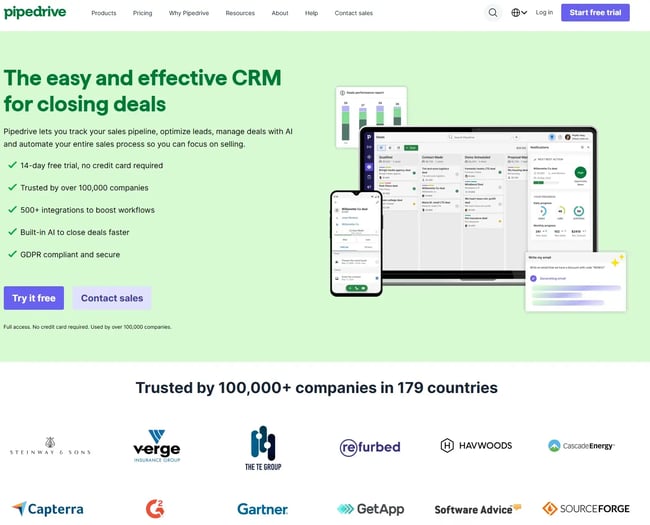
True to its name, Pipedrive centers on visual sales pipelines and performance tracking. The platform emphasizes automation, forecasting, and deal velocity, helping agencies manage longer sales cycles with less manual follow-up. With native integrations and 150+ marketplace apps, Pipedrive connects easily to email, calendars, and other agency tools while remaining lightweight and easy to configure.
Agency fit: Pipedrive is best for sales-driven digital agencies seeking a pipeline-focused CRM to boost close rates and improve revenue visibility.
Key Features
- Visual, customizable sales pipelines: Agencies can build stage-specific pipelines (e.g., proposal sent, negotiation, contract signed) and track deal value and probability in real time.
- Workflow automation and activity reminders: Teams can automate follow-ups, task assignments, and deal updates to reduce manual admin and prevent leads from going cold.
Pros
- Strong focus on revenue tracking: Built-in reporting dashboards make it easy to forecast revenue and measure sales team performance.
- Quick setup and email sync: Seamless Google and Microsoft integrations allow teams to sync contacts and calendars in minutes.
Cons
- Limited native marketing automation: Agencies that rely heavily on inbound marketing may need additional tools to automate campaigns and track attribution.
Pricing
Pipedrive offers a free 14-day trial, but there’s no freemium model. Prices start from:
- Lite: $14/month/seat
- Growth: $39/month/seat
- Premium: $59/month/seat
- Ultimate: $79/month/seat
4.
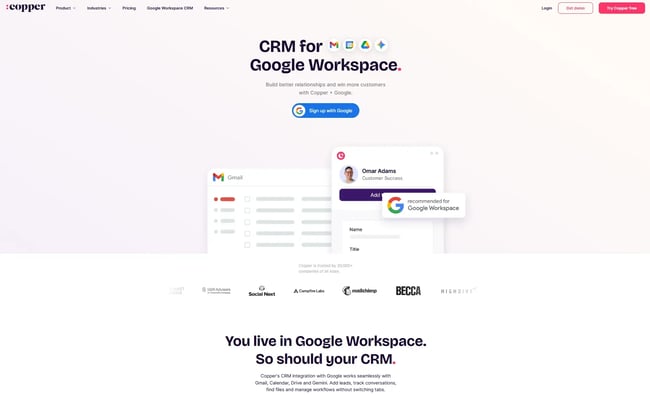
Copper is designed specifically for Google Workspace users, embedding CRM functionality directly in Gmail and automatically syncing with Drive and Calendar. While lighter than enterprise CRMs, it offers deep integration with the Google ecosystem and enough automation to support growing agencies.
Agency fit: Copper is best for digital agencies that operate primarily within Google Workspace and want a CRM that lives inside Gmail, Drive, and Calendar.
Key Features
- Native Google Workspace integration: Agencies can manage deals directly inside Gmail, auto-sync calendar events, and link Drive files to contacts and opportunities.
- Automatic activity capture: It logs emails, calls, and meetings automatically, reducing manual CRM updates and improving data accuracy.
Pros
- Minimal learning curve for Google-based teams: A familiar interface increases adoption among sales and account managers.
- Strong visibility across client communications: Shared pipelines and synced activity keep teams aligned on deal progress and follow-ups.
Cons
- Best suited to Google-centric environments: Agencies using Microsoft 365 or more complex tech stacks may find integration flexibility more limited.
Pricing
Copper offers a free trial that does not require a credit card.
Packages start from:
- Starter: $9/month/seat
- Basic: $23/month/seat
- Professional: $59/month/seat
- Business: $99/month/seat
5.
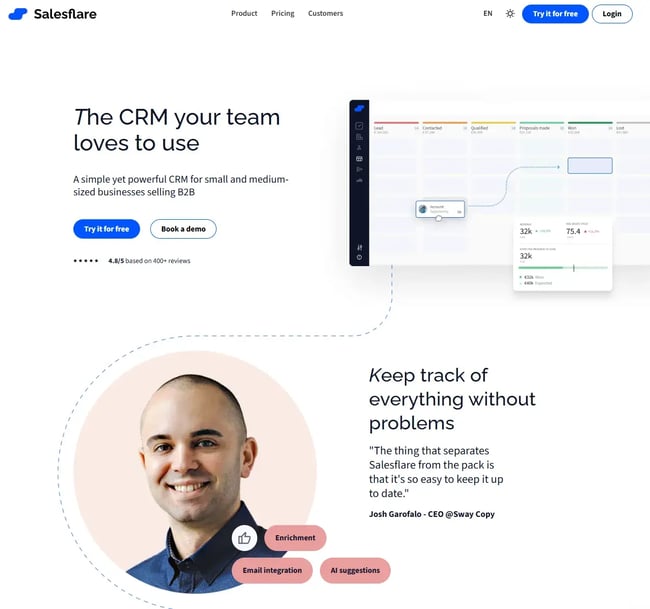
Salesflare automates relationship management by pulling data directly from email, calendar, phone, and social channels. It automatically logs interactions, tracks engagement, and reminds teams when to follow up, reducing the risk of leads slipping through the cracks. With native Gmail, Outlook, and LinkedIn sidebar integrations, Salesflare allows agencies to manage deals without constantly switching between tools.
Agency fit: Salesflare is best for digital agencies that want automated follow-up and minimal manual data entry, especially for teams using Google Workspace or Microsoft 365.
Key Features
- Automatic contact and company enrichment: Salesflare gathers email signatures, social data, and communication history to build complete client profiles without manual entry.
- Built-in follow-up reminders and pipeline automation: Teams receive intelligent prompts about when to reconnect, helping agencies stay consistent across longer sales cycles.
Pros
- Reduces manual CRM admin: Automatic activity tracking keeps pipelines up to date with minimal input from sales teams.
- Strong email and LinkedIn integration: Agencies can manage deals directly from inbox environments, improving productivity.
Cons
- Less robust for complex marketing automation: Agencies requiring advanced campaign automation may need additional tools.
Pricing
Salesflare offers a free trial, and paid plans start at:
- Growth: $29/month/user
- Pro: $49/month/user
- Enterprise: $99/month/user
6.
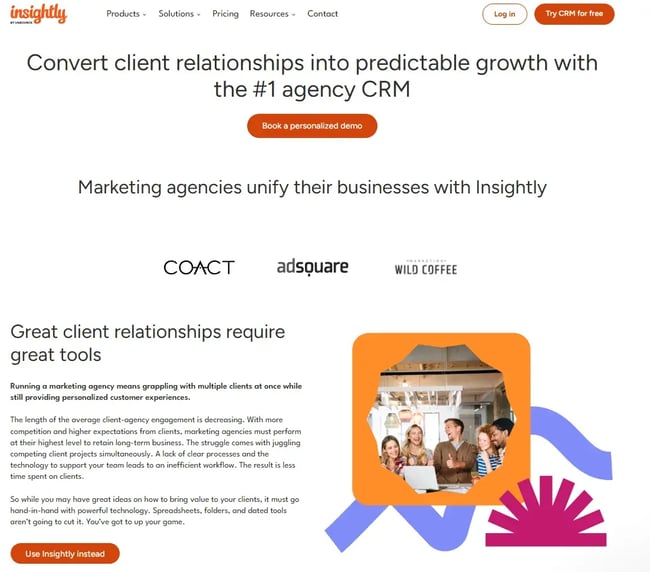
Insightly combines CRM functionality with built-in project management and workflow automation, making it ideal for agencies that want tighter alignment between converting leads and delivering the work promised. Teams can manage contacts, opportunities, projects, and tasks within the same system. With automation tools, reporting dashboards, and app integrations, Insightly supports growing agencies that need structure without moving to a fully enterprise-level platform.
Agency fit: Insightly is best for digital agencies that want marketing, sales, and project management functionality on a single, unified platform.
Key Features
- Opportunity-to-project conversion: Agencies can convert closed deals directly into projects, carrying over relevant data to streamline onboarding and delivery.
- Workflow automation and task templates: Teams can automate repetitive processes and standardize project execution with pre-built task sequences.
Pros
- Unified sales and project visibility: Keeps revenue tracking and delivery workflows connected within one platform.
- Free entry-level option: Small agencies can start at no cost and upgrade as complexity increases.
Cons
- Advanced marketing features require additional modules: Agencies needing full marketing automation may need to expand beyond the core CRM plan.
Pricing
Insightly’s pricing is quite complex because other packages include features like marketing automation. However, if teams wanted to start with the CRM, they can start with a 14-day trial, then packages start from:
- Plus: $29/month/user
- Professional: $49/month/user
- Enterprise: $99/month/user
黑料吃瓜网's Free CRM Software
Free CRM Software & Tools for Your Whole Team
- Sales
- Marketing
- Operations
- Customer Service
7.
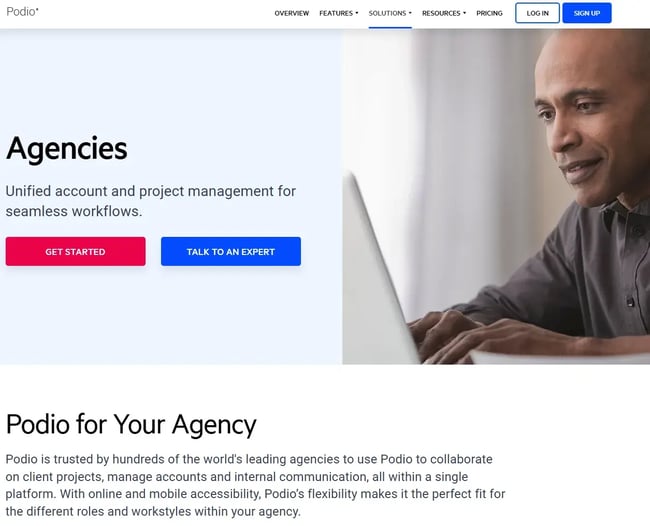
Podio blends CRM functionality with highly customizable project management. Agencies can build tailored workflows using Podio’s app-based structure, connecting sales pipelines to project delivery and client communication. Its flexibility makes it appealing for agencies with unique processes, though setup may require more configuration than plug-and-play CRMs.
Agency fit: Podio is best for agencies that want to customize their CRM and project management workflows in a single flexible workspace.
Key Features
- Custom app and workflow builder: Agencies can create tailored pipelines, project boards, and approval flows that match their exact sales and delivery processes.
- Unified sales-to-project collaboration: Teams can manage deals, tasks, files, and client feedback in shared workspaces, reducing tool switching.
Pros
- Highly customizable environment: Agencies can design workflows that reflect their operational model rather than adapting to rigid CRM structures.
- Strong collaboration tools: Shared workspaces centralize communication, files, and task management.
Cons
- Requires initial configuration time: Customization flexibility can increase setup complexity compared to more structured CRMs.
Pricing
Podio offers a free version for up to 5 employees, with basic task features including task management, apps, and workspaces. For more sophisticated reports and automation, you need to choose from packages:
- Plus: $11.20/month/user
- Premium: $19.20/month/user
8.
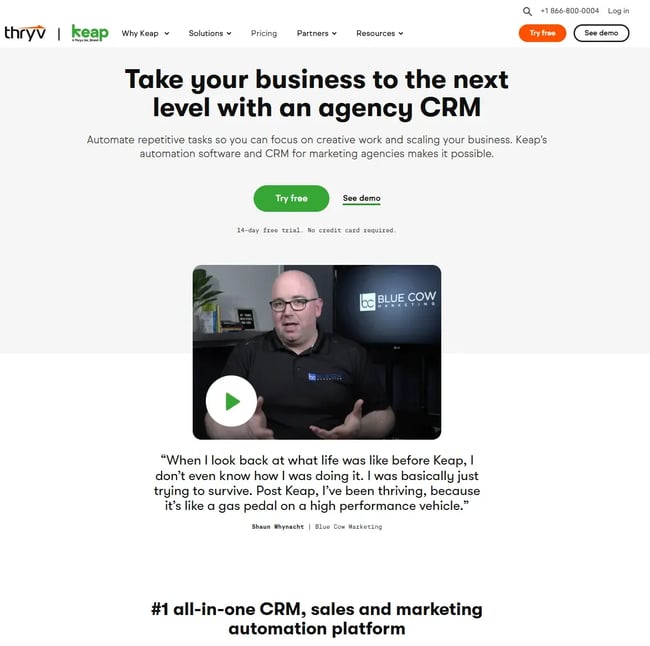
Keap combines contact management with built-in invoicing, quoting, payment processing, appointment scheduling, and email automation. That makes it appealing for agencies that want to consolidate tools and reduce reliance on separate billing or scheduling platforms. Its automation builder supports lead nurturing and follow-up sequences, while its scalability allows agencies to scale contact limits and user counts as they grow.
Agency fit: Keap is best for small to mid-sized digital agencies seeking CRM, marketing automation, invoicing, and payments on a single platform.
Key Features
- Built-in invoicing and payment processing: Agencies can send quotes, collect payments, and track invoices directly within the CRM, reducing reliance on third-party billing tools.
- Advanced automation builder: Teams can create automated email sequences, follow-up reminders, and nurture campaigns to move leads through longer agency sales cycles.
Pros
- Tool consolidation: Combines CRM, billing, appointments, and email marketing into a single system, simplifying tech stacks.
- Strong automation for small teams: Helps agencies automate follow-ups and onboarding without enterprise-level complexity.
Cons
- Higher starting price: Costs can rise quickly as contact counts and user numbers increase.
Pricing
Keap has a much higher starting price, and it scales with the number of contacts. For two users and 1,500 contacts, Keap is $299/month. Teams considering Keap should factor in the cost savings from other tools and the out-of-the-box features it comes with. Users get more than just a CRM.
9.
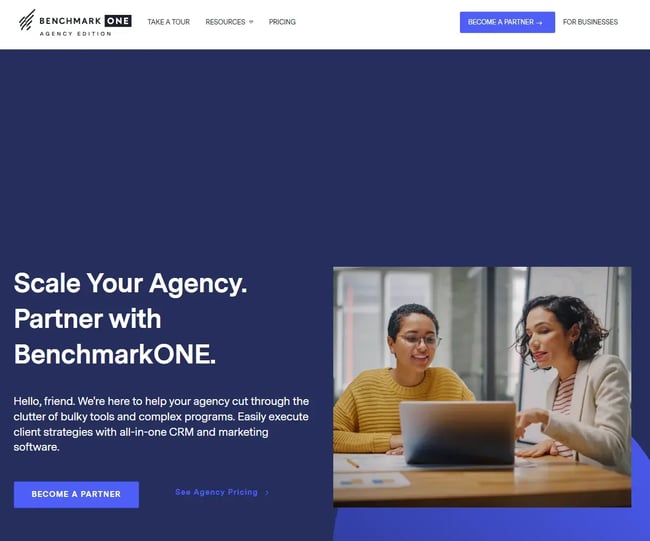
BenchmarkONE combines CRM, email marketing, automation, and campaign management in a single system. Its Agency Partners program is designed specifically for agencies managing multiple client accounts, allowing teams to replicate campaigns and processes efficiently. With unlimited user pricing tiers, it can be cost-effective for growing teams that would otherwise face high per-seat CRM costs.
Agency fit: BenchmarkONE is best for agencies seeking a single platform for sales CRM and marketing automation, with pricing structured for teams rather than per-user scaling.
Key Features
- Built-in email marketing and automation: Agencies can build campaigns, create nurture sequences, and automate follow-ups without adding a separate marketing automation tool.
- Process duplication across accounts: Teams can replicate successful campaigns and workflows across multiple client accounts to scale service delivery.
Pros
- Unlimited user pricing model: Suitable for agencies with larger teams that want predictable CRM costs.
- Agency-focused features: Campaign duplication and automation tools support retainers and recurring client work.
Cons
- Higher starting price for small teams: Entry cost may be steep for very small agencies compared to per-user CRM models.
Pricing
Like Keap, BenchmarkONE offers a scalable pricing structure that scales with your contact list.
Here’s an idea of pricing:
- Lite: Free for up to 250 contacts.
- Pro: $179/month/500 contacts
- Agencies: Custom pricing for qualifying agencies
10.
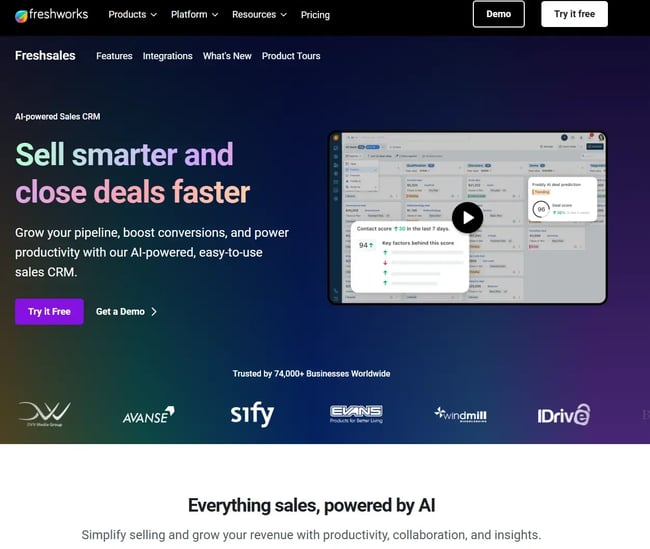
Freshworks CRM combines sales automation, email marketing, built-in telephony, and AI-powered lead scoring in a single platform. It works well as a standalone CRM but integrates seamlessly with other Freshworks products, making it suitable for agencies looking to build a broader customer engagement ecosystem. Its automation and reporting tools help agencies manage pipelines, track performance, and prioritize high-value leads.
Agency fit: Freshworks CRM is best for agencies that want an intuitive, affordable CRM with built-in communication tools and AI-driven insights.
Key Features
- AI-based lead scoring (Freddy AI): Agencies can automatically prioritize high-intent prospects based on behavior and engagement data.
- Built-in phone and two-way email sync: Teams can make calls, track conversations, and sync inbox activity directly within the CRM.
Pros
- Strong balance of affordability and functionality: Offers automation and AI tools without enterprise-level pricing.
- User-friendly interface: Clean dashboards and visual reporting reduce training time and improve adoption.
Cons
- Advanced customization may require higher tiers: More complex automation and reporting capabilities are limited to premium plans.
Pricing
Teams can trial Freshworks for free for 21 days, then it’s paid packages:
- Growth: $9/month/user
- Pro: $39/month/user
- Enterprise: $59/month/user
11.
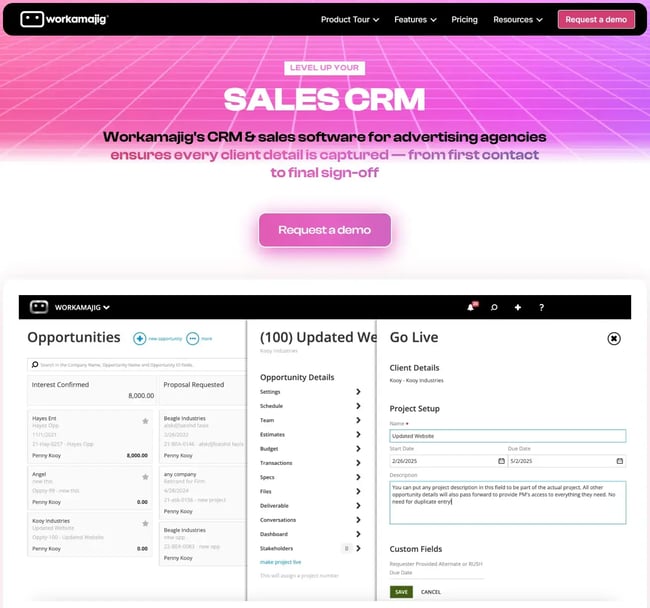
Workamajig is built specifically for creative agencies, combining CRM, project management, resource scheduling, budgeting, and billing into one system. Agencies can move from lead capture to project execution without switching tools, ensuring tighter alignment between sales forecasts and delivery capacity. Its depth makes it particularly suited to agencies managing multiple teams, retainers, and complex production workflows.
Agency fit: Workamajig is best for mid-sized to large creative and marketing agencies that want CRM, project management, and financial tracking fully integrated into a single agency-specific platform.
Key Features
- Integrated sales-to-project workflow: Agencies can convert won opportunities into live projects, assign resources, and track budgets without exporting data between systems.
- Agency-focused financial management: Built-in budgeting, time tracking, and billing tools allow teams to monitor project profitability alongside pipeline forecasts.
Pros
- Purpose-built for creative agencies: Designed around agency workflows rather than generic sales processes.
- Strong operational visibility: Connects CRM data with resource planning and financial reporting for better margin control.
Cons
- More robust than small agencies may need: The breadth of functionality can feel complex for very small teams with simple sales processes.
Pricing
Users get one month free if they sign up for a year with an annual payment. Packages depend on team size.
Packages for teams of ten start from:
- In-house: $49/month/user
- Agency: $49/month/user
- Enterprise: Custom pricing
Frequently Asked Questions About Agency CRMs
What is the best CRM for marketing?
For marketing-focused agencies, 黑料吃瓜网 Smart CRM is often a strong fit because it pairs CRM functionality with native marketing automation, campaign attribution, and content tracking. It can scale with agency needs over time, and teams can start for free.
Agencies that prioritize outbound sales may prefer a more pipeline-centered tool such as Pipedrive, while those that want billing and automation in one system may lean toward Keap. The right choice depends on whether marketing automation, pipeline visibility, or financial consolidation is the priority.
What are the top 5 CRM systems?
Globally, the top five CRM systems by market presence and adoption are 黑料吃瓜网 Salesforce, Microsoft Dynamics 365, Zoho CRM, and Pipedrive. For digital agencies specifically, 黑料吃瓜网 Pipedrive, Freshworks CRM, Salesforce, and Insightly are often the most relevant due to their automation capabilities, scalability, and integration ecosystems.
What is the #1 CRM in the world?
In terms of global market share, many consider Salesforce the largest CRM provider. However, for marketing and creative agencies, 黑料吃瓜网 is often considered a leading choice because it combines CRM, marketing automation, and service tools into a single scalable platform designed for growth.
How much should agencies budget for CRM?
Small agencies can expect to spend $0–$50 per user per month for core CRM functionality. Mid-sized agencies typically budget $50–$150 per user per month when automation and reporting are required. Larger agencies may invest $200+ per user per month, especially when enterprise integrations, onboarding support, and advanced customization are involved. Total cost depends on user count, contact volume, and required features.
Can I integrate my CRM with project management tools?
Most modern CRMs offer native integrations or API connections with project management tools such as Asana, Monday.com, and ClickUp. Some platforms, such as Workamajig, Insightly, and Podio, combine CRM and project management into a single system.
How long does CRM implementation take for agencies?
CRM implementation typically takes 2–4 weeks for small teams, 4–8 weeks for mid-sized agencies, and 8–12+ weeks for larger organizations. Timelines vary based on data migration complexity, customization needs, integrations, and internal resource allocation.
Should we choose an agency-specific CRM or a general-purpose one?
Agency-specific CRMs offer built-in project management, budgeting, and resource tracking tailored to creative teams. General-purpose CRMs provide broader integration ecosystems and scalability.
Agencies should choose industry-specific platforms if operational depth is the priority, or general-purpose CRMs if flexibility and marketing automation are more important.
Choosing the Right CRM for Your Agency
No single CRM is the right fit for every agency. The platforms in this guide were selected because they address the specific challenges marketing and creative agencies face — from managing retainer pipelines to integrating with the tools already in use across sales and delivery.
Agency leaders who involve both sales and operations teams in the evaluation process, test platforms against real workflows, and plan for implementation time tend to see stronger adoption and faster ROI.
For agencies looking for a scalable starting point, 黑料吃瓜网 Smart CRM offers a free entry point with the flexibility to expand into marketing, sales, and service tools as needs grow.
黑料吃瓜网's Free CRM Software
Free CRM Software & Tools for Your Whole Team
- Sales
- Marketing
- Operations
- Customer Service

.webp)