As a growth strategist, I’ve seen increased excitement among my clients about using AI to predict demand for their products and services. When AI can help you prepare for seasonal swings in demand — or forecast the impact of a marketing campaign or new product launch — you can remove a lot of guesswork.
The thing is, AI’s predictive capabilities are only one side of the puzzle. You need to ensure that everything else in your business is built to handle the forecasted demand. That’s true for both B2B operations and selling e-commerce products to everyday customers.
And more often than not, the make-or-break factor in all this is: your website.
Table of Contents
- The Common Disconnect Between AI Prediction and Website Fulfillment
- Getting AI to Do More for Demand Forecasting
- Setting Up Your Website for Success
The Common Disconnect Between AI Prediction and Website Fulfillment
AI demand forecasting is a powerful resource that combines machine learning with current and historical data to predict future sales. These tools use internal and external data (even things like weather) to help businesses understand how to optimize their inventory and improve customer satisfaction.
So where does the disconnect occur?
Too often, we see businesses that only look at the types of information they can get from AI forecasting. They want to know when demand for their products or services could spike. They want more accurate cash flow projections. They want to predict staffing needs for busy times.
But they don’t consider how spikes in demand could impact their website — or how their website can influence the effectiveness of the AI.
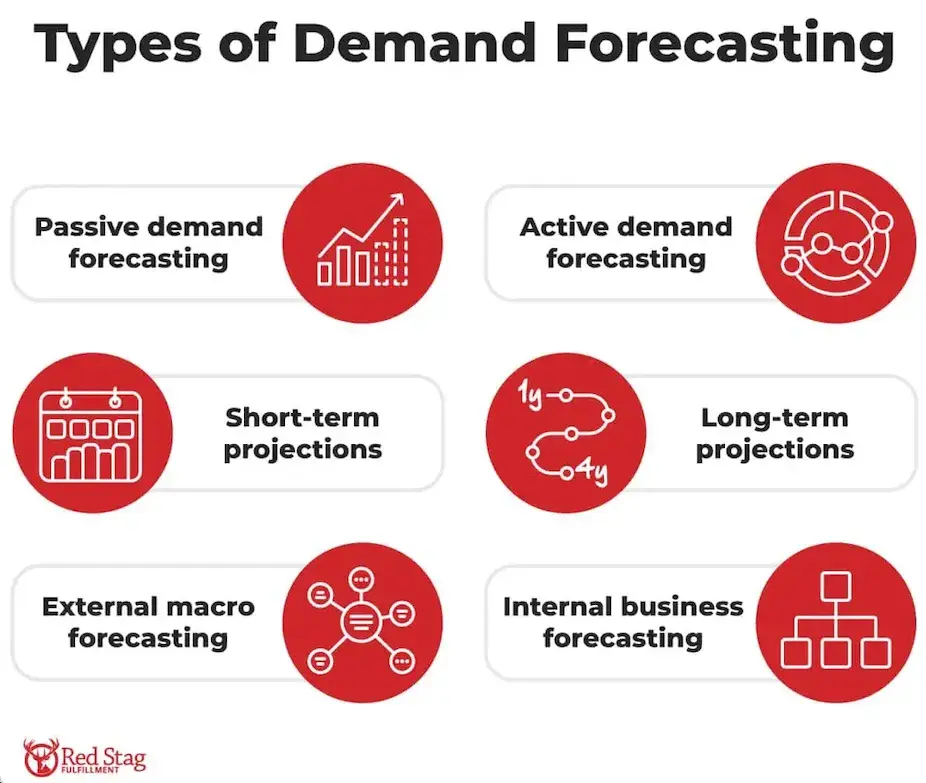
For example, an AI might correctly predict that a particular social media campaign will drive increased traffic to your website or landing page. Or it can give you a good expectation of what demand will look like when you launch a new product. And you could use this information to accumulate additional stock so order fulfillment goes smoothly (and your items stay in stock).
But what happens if a sudden spike in traffic overloads your server? Research from Liquid Web that 76% of customers have abandoned their shopping carts due to a slow website, and 39% have even abandoned carts worth over $100.
And of course, many shoppers never even make it to the checkout page when a website has these kinds of problems. Data shows that only 22% of customers are willing to wait up to 10 seconds for a website to load while shopping.
In extreme cases, a site could crash completely, or third-party integrations (including payment gateways) could fail because of the sudden spike in traffic.
If your website isn’t prepared, it doesn’t matter how much demand forecasting information you have. It can still result in a massive missed opportunity that frustrates customers and keeps you from reaching the sales you had hoped for.
In addition, many businesses (especially in the B2B space) find out too late that their website hasn’t been collecting sufficient first-party data to feed into AI demand forecasting models. Inaccurate and incomplete data can significantly lower the accuracy of your output. The more you have to rely on third-party data rather than data you own, the less precise your demand forecasts will be.
As research from OroCommerce , a lack of clean first-party data is a major problem. While many companies are chasing flashy AI promises, only 17% have reported seeing a significant return on investment. An additional 48% feel that the tech has been “somewhat effective,” leading to some positive dashboard movements, but without real transformational business value. Despite this, the issues aren’t really the fault of the AI. They stem from a business’ pre-existing data issues.
With less accurate models, you’ll be less precise in your own planning. This may cause you to over- or under-allocate stock, or it's possible you won't have enough service representatives available to help new leads. No matter which direction things go, the end result means you’ll likely lose income as a result of lower-quality data.
Getting AI to Do More for Demand Forecasting
AI demand forecasting is powerful. But to really make the most of your AI insights, you need to start with the basics.
First, you need to make sure the first-party data you collect on your website is accurate and able to provide the level of information the AI needs. Historical sales, order records, pricing changes, and web traffic numbers are just a few data points that can aid an AI analysis. For B2B websites in particular, which often have data spread across several tools and systems, an early data audit is essential.
Here are a few steps I’ve found helpful when conducting a data audit:
- Identify the specific areas you want to forecast.
- Gather two to three years of historical data.
- Check for missing values, formatting inconsistencies, and other similar issues that need to be corrected.
- Centralize data in a centralized data lake.
- Ensure data is synced and updated regularly.
In other words, to get meaningful demand forecasting AI insights, you need to streamline and simplify your first-party data systems. A chaotic and messy database introduces a level of unreliability that an AI model will only scale.
At the same time, however, you need to make sure your website is collecting the right type of information from buyers, leads, and visitors. The KPIs most closely related to product sales and web traffic are going to be essential here.
A system for unifying, organizing and standardizing data will make it much easier for AI to do its job. Strong guidelines for how the AI will use this information will improve your oversight of its outputs and promote the level of transparency you need to trust its outputs.
For example, this could involve limiting which data points are fed to the AI so it only receives the information that is absolutely necessary for forecasting. The AI doesn’t need to know my customers’ names and shipping info to evaluate overall trends. I prefer to keep things simple by only syncing what is absolutely necessary.
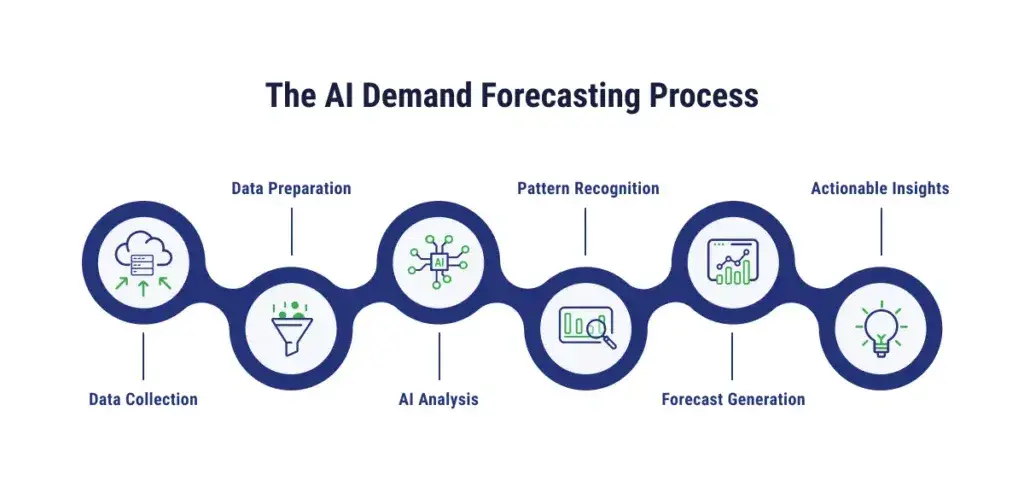
You also need to make sure your website is set up to collect the data you need in the first place, and that you’re also drawing from relevant external signals.
For example, as IBM has , Walmart has used weather, local events, and customer purchasing trends to improve the accuracy of its forecasts to prevent inventory stockouts and overstocking. Setting up systems to evaluate factors such as competitor pricing and other economic indicators can further boost your AI’s capabilities.
Data collection can seem intimidating, but as an analysis by McKinsey , even data-light companies often have enough information to feed AI demand forecasts: “While it’s generally true that more data can improve results, the experiences of companies with widely disparate levels of data quality show that most organizations have enough data to derive value from AI-driven forecasting. It’s a matter of building specific and actionable strategies to apply these models even in data-light environments.”
As its authors argue, choosing the right AI model, using data smoothing and augmentation, preparing for uncertainty with the right parameters, and using relevant external data can help every organization get the right level of data. As long as your data is clean and the AI is human-guided, you can still get meaningful forecasting insights from your website.
Let me make it clear: the quality of your data matters even more than its quantity.
Setting Up Your Website for Success
In addition to setting your website up for direct data collection to feed AI, there are other things you should do to make sure it is truly ready for future spikes in demand.
As touched on earlier, you need to start by ensuring that your website is actually equipped to handle the increased traffic that can come during high-demand periods. Make sure your hosting servers use a cloud infrastructure that will automatically scale things like CPU and memory based on your existing traffic needs. It can also be helpful to perform load tests on your site (especially when it comes to third-party integrations) to see how everything performs under pressure.
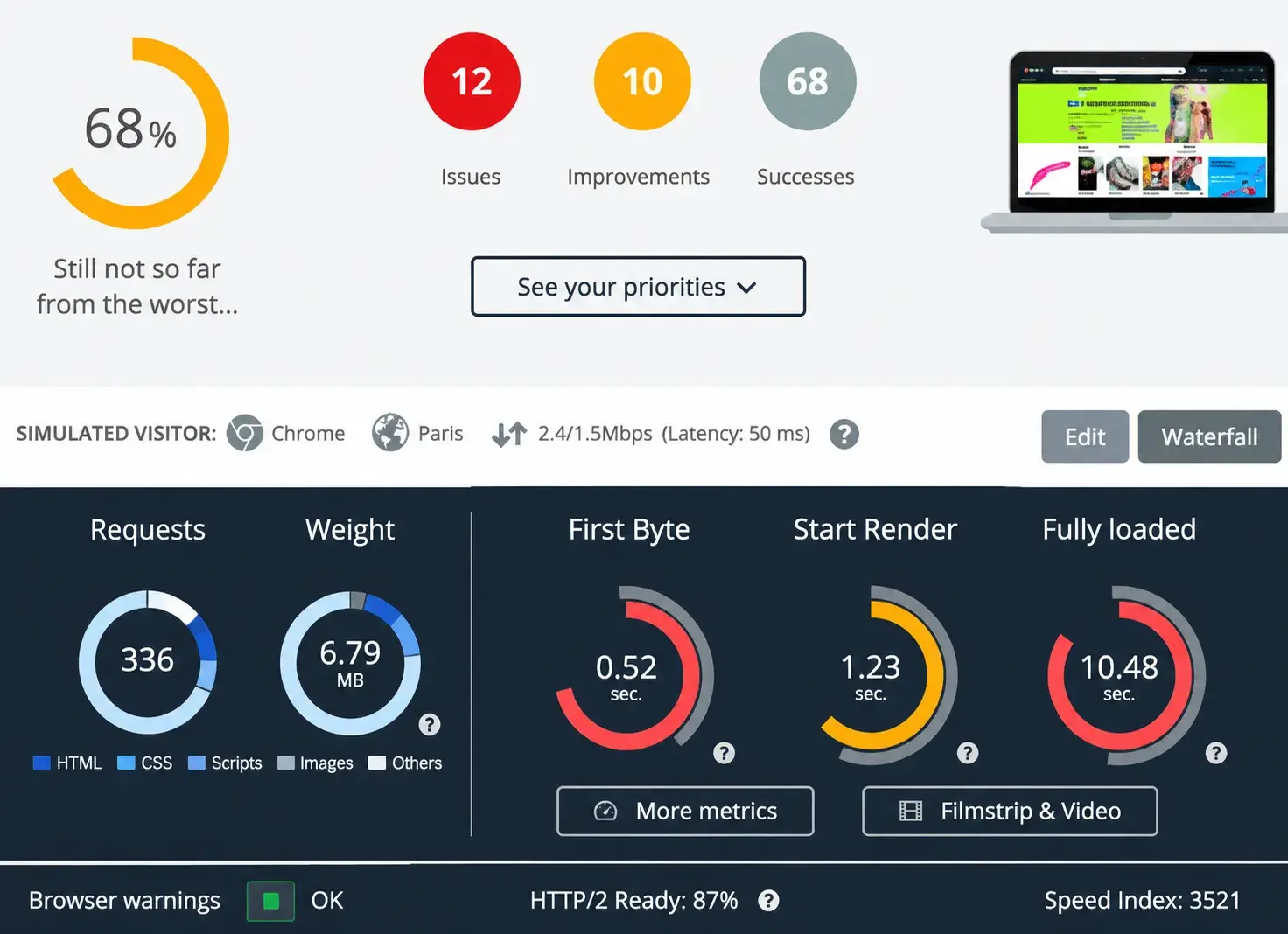
AI can potentially help here, too, making it easier for you to collect website performance data that lets you quickly evaluate the results of these tests.
Catching potential issues before periods of high demand allows you to make necessary website or hosting fixes in advance. Something as simple as switching to a cloud-based hosting plan with higher traffic capacity can make all the difference for your site’s stability and usability.
In addition to purchase and lead data, you can also improve your website’s performance during high-demand periods by making it more user-friendly. Digging into the data on visitor behavior to find pages with high bounce rates can help you make crucial adjustments that will improve your conversion rates. Analytics platforms like Google Analytics can help you get more granular information on specific website activity so you can identify other potential issues with individual pages on your site.
For example, in an Unbounce , Kareo Marketing was able to grow its yearly revenue by $1.56 million simply by reducing how many fields were on its signup forms. A/B testing that helped them identify the value of reducing signup form fields boosted the company’s marketing ROI by 40%.
Targeted AI tools can help you run these types of tests and evaluations quicker and more effectively, so that when those high-demand periods arrive, you’ve already made the optimizations that will lead to more conversions.
Build a system that delivers on demand.
The ability to predict demand with AI and cloud-powered resources is one thing. But you shouldn’t just rely on that information and hope for a sudden spike in sales. When you also bring a proactive approach to data and website optimization, you’ll be able to truly take advantage of those demand increases.
Build a system that lets you deliver a consistent and reliable customer experience regardless of your current demand levels. As you do, you’ll be able to improve conversion rates and get the results your business needs to thrive.
.png)
Free Website Optimization Checklist
This website optimization checklist will help you perfect your website's:
- Performance
- SEO
- Security
- Mobile Performance
Download Free
All fields are required.
Form not available
You're all set!
Click this link to access this resource at any time.
Artificial Intelligence