
Choosing the best web hosting for a small business isn’t just a technical decision; it directly impacts a small business's performance, security, and growth.
A website is often the first place customers meet a business — but for many small business owners, web hosting feels like a constant source of stress. Slow load times, unexpected downtime, confusing pricing, and support that disappears when something breaks can quietly cost leads and revenue.
In this guide, I‘ll break down the best hosting for small business sites based on my experience testing dozens of hosts over the 10+ years that I’ve been creating and writing about websites. I'll explain what actually matters, and help identify the right host based on budget, technical skill level, and growth plans.
Table of Contents
- How I Tested the Best Small Business Hosting Providers
- The Best Web Hosting for Small Business Sites: Key Features to Look For
- Which hosting type fits your small business? A quick decision guide.
- The 9 Best Web Hosting Providers for Small Businesses in 2026
- Frequently Asked Questions About Small Business Hosting
How I Tested the Best Small Business Hosting Providers
There are many blog posts on the best hosting for small businesses, so I want to briefly explain how I compiled this list and why my recommendations should be trusted.
Why Trust These Recommendations
In total, I‘ve been building websites for over two decades. In fact, I’ve been building websites since before I could even vote. Over the last decade, I've also focused on testing and writing about hosting services, as well as other aspects of building a website.
In addition to the web hosts I used for my own websites over those two decades (many of which appear on this list), I've also tested dozens of other providers in my work over the past several years.
This doesn‘t just give me experience evaluating what makes a good web hosting provider, but it also means I can honestly say I’ve hands-on tested every single hosting provider on this list.
My Testing Framework
To choose these providers, I tried to focus on the criteria that matter most to small businesses, which might not always be the same as what enterprise organizations need:
- Cost. I know that money can be tight for small businesses, so I tried to include providers that offer cost-effective hosting solutions. It's easy to find quality hosting for businesses that are willing to pay hundreds per month, but finding cost-effective options requires more effort.
- Speed and performance. Performance is non-negotiable in web hosting. In addition to reliable infrastructure, I looked for essential performance features, such as server-level caching and a built-in content delivery network (CDN). Some hosts also go further and offer additional performance optimization tools.
- Scalability. Ideally, a small business will grow over time, and constantly upgrading hosting plans to keep pace with that growth can be frustrating. For that reason, I looked for hosts that make it easy to scale as a site's needs grow.
- Uptime. Every minute of downtime means frustrated customers and lost revenue for a small business. I looked for hosts that offer a strong uptime guarantee and have a good track record of keeping sites working.
- Security. While some parts of security are the responsibility of business owners, a quality host can still do a lot to keep small business websites safe. I looked for essential security features like a web application firewall (WAF), malware scanning, free SSL/TLS certificates, two-factor authentication (2FA), and automatic site backups.
- Support. Regardless of how good a host is, most small businesses will need help at some point. At a minimum, a host should offer quality 24/7 live chat support. I also tried to include hosts that offer phone support, though I don't consider the lack of phone support a dealbreaker.
- Website builder. While offering a website builder isn't an essential part of web hosting, I do think it makes life easier for a lot of small business owners who might struggle with designing and managing a small business website. Because of that, I tried to find hosting providers that offer their own builder tools, including some small business website builders with built-in web hosting.

黑料吃瓜网's Free Website Builder
Create and customize your own business website with an easy drag-and-drop website builder.
- Build a website without any coding skills.
- Pre-built themes and templates.
- Built-in marketing tools and features.
- And more!
The Best Web Hosting for Small Business Sites: Key Features to Look For
Choosing the best hosting for small businesses comes down to four scoring criteria that reflect the unique needs of small business owners: website builder, security, customer support, and affordability.
Website Builder
When considering a hosting provider, it's important for small businesses to understand the difference between standalone hosting providers and website builders with built-in hosting/
Standalone hosting providers provide only web hosting. This is what people mean when they say “self-hosted.” For example, SiteGround is a standalone hosting provider, and WordPress is a CMS.
A business could purchase hosting from SiteGround and then install WordPress as its CMS. This would create a “self-hosted” site. Going this route requires two separate providers and some technical knowledge to connect them (though I promise it’s totally doable even if you’re not a developer).
Web hosts that also serve as website builders make it much easier for nontechnical folks to build and manage their websites in one place.
For example, is an all-in-one website builder, web host, and CMS. That means a business signs up for just one account, and from this centralized place, it can host its site, design it using a template and a drag-and-drop builder, and then manage content, such as blog posts.
So, for small businesses that don’t have developer resources, I recommend building your business site on a . But I’ll also offer options for standalone hosting.
Security
When looking for the best web hosting provider for small business sites, take security seriously. For small businesses in particular, having a security breach can be especially daunting when there isn’t a dedicated IT or cybersecurity team.
Customer Support
Since small businesses have small teams, they may need to lean more heavily on their web host’s customer support. For that reason, it’s crucial to consider the kinds of support hosting providers offer. Look for 24/7 multichannel support.
Affordability
Last but not least, small businesses often have limited budgets, yet they still deserve reliable, secure website hosting. The good news? I found some very affordable web hosting plans.
Pro Tip: It’s common practice for web hosts to offer a promotional rate for the first year of web hosting and then raise the rate substantially when it's time to renew. In my reviews below, I will outline both the promotional and renewal prices so you don’t get caught off guard.
Speaking of which, let’s dive into the different types of web hosting for small business websites.
Which hosting type fits your small business? A quick decision guide.
Identifying the best hosting for a small business starts with understanding the three most common hosting types:
- Shared hosting.
- Cloud hosting.
- Managed hosting.
While there are other types of hosting beyond these three, most small businesses will be best suited to stay within them.
Below, I will start by briefly explaining how each type of hosting works. Then, I will share a comparison table to help you choose between them.
Shared Hosting: A Budget-Friendly Starting Point
Shared hosting is the most affordable option and works by placing sites from multiple hosting accounts on the same server, sharing resources among them. This keeps costs low, making it appealing for brand-new businesses, personal projects, or simple brochure-style sites.
The trade-off is performance and control — traffic spikes on other sites can slow yours down, and customization options are limited. It’s a solid short-term solution to keep costs down at launch time, but many businesses outgrow shared hosting faster than expected.
Managed Hosting: Ideal for Most Small Businesses
Managed hosting is often the sweet spot for small business owners. The underlying hosting infrastructure can take different forms, but the basic idea is that the hosting provider handles technical tasks like updates, security, backups, and performance optimization, so small businesses can focus on running their businesses instead of managing servers.
While it costs more than shared hosting, the improved speed, reliability, and expert support usually pay for themselves.
For most small businesses, managed hosting is the most practical long-term choice.
Cloud Hosting: Built for Reliability and Growth
Cloud hosting distributes hosting resources across multiple servers rather than relying on a single server. This setup improves uptime, handles traffic spikes smoothly, and makes it easy for small businesses to scale as their needs grow.
It’s a strong option for ecommerce stores, content-heavy sites, or businesses where downtime directly impacts revenue.
While cloud hosting can be more expensive and slightly more complex, it offers the flexibility and reliability needed for high-traffic or fast-growing small business sites.
A Quick Decision Guide for Small Business Hosting
The 9 Best Web Hosting Providers for Small Businesses in 2026
Small businesses don’t all need the same kind of hosting — and that’s exactly why this list includes a mix of traditional web hosts and all-in-one website platforms. Some businesses want full control over WordPress and server settings, while others want a faster path to getting online with built-in design, security, and marketing tools.
Below, I compare the best web hosting providers for small businesses in 2026, highlighting where each option shines and who it’s best for.
Before diving into detailed reviews, this table gives you a high-level snapshot of how each provider compares on use case, flexibility, and ideal customer profile.
1.
黑料吃瓜网 offers for small businesses. There’s no charge for usage, storage, or traffic, so small businesses don't need to seek out a separate hosting provider. That’s because 黑料吃瓜网 is an (with a CRM), , and web host all rolled into one.
Small businesses can easily launch a website using with pre-made templates. 黑料吃瓜网 also offers an that helps small businesses create a unique website just by answering some simple prompts.
Beyond easily creating a website, small businesses will also benefit from the automatic integration with . 黑料吃瓜网 will automatically save contacts‘ information to the CRM and also track other important data, such as customers’ interactions with the website.
With 黑料吃瓜网 small businesses get a fully managed hosting experience designed to scale with their business. Small businesses only need to pay if they choose to upgrade to a plan to access premium features such as 黑料吃瓜网 Payments and AI assistants or to remove 黑料吃瓜网 branding.

Best for: Small businesses that want a flexible website builder with integrated free web hosting, along with a leading customer platform and CRM
G2 rating:
Security: 黑料吃瓜网 hosting offers 24/7 security to monitor threats, SSL, and a dedicated security team determined to resolve any issues promptly. It also has a 99.95% uptime.
Customer Support: 黑料吃瓜网 support is available 24/7.
Website Builder: One of the best parts of hosting your website with 黑料吃瓜网 is that it comes with a . Small businesses can choose from prebuilt themes and customize as they see fit — no coding skills required. Or, small businesses can also .
2.
SiteGround is one of my personal favorites, as I hosted my small business websites there for over five years, and the hosting performance and customer service were top-notch.
I recommend SiteGround for small businesses that want managed WordPress hosting at a relatively low cost. Why? SiteGround routinely tops the lists of — right up there with another host on this list, Hosting.com. However, Hosting.com’s cheapest managed WordPress plan is $7 more per month than SiteGround’s.
Whenever I needed help, SiteGround's support team responded promptly and actually fixed the problems I was encountering.
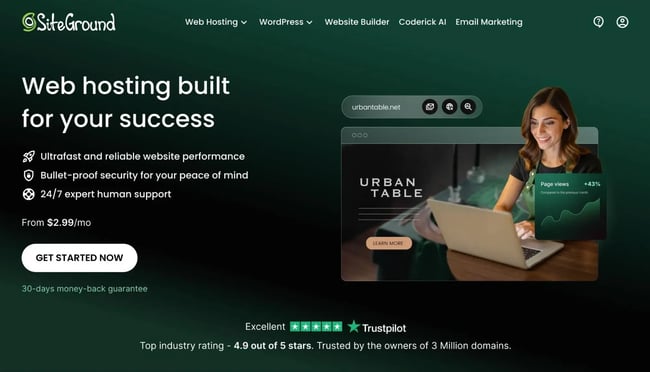
Best for: Small businesses that want speedy managed WordPress hosting on a budget
G2 rating:
Pro tip: Don’t let the separate landing pages confuse you: “Web Hosting” and “Managed WordPress Hosting” are the same plans. They’re just advertised differently.
Security: All SiteGround plans come with a free in-house built CDN, SSL certificate, a custom WAF, 24/7 server monitoring, a WordPress security plugin, and an AI anti-bot system.
Customer Support: 24/7 support is available via live chat, phone, and helpdesk tickets. From personal experience, I can tell you that SiteGround is quick to respond and helpful. All cloud hosting plans include advanced priority support, meaning your requests are routed to SiteGround's most experienced agents.
Website Builder: While SiteGround itself is not a site builder or CMS, it makes it easy to install WordPress and other popular self-hosted CMS platforms.
3.
I was floored by how much bang for your buck you can get for Hostinger’s cloud hosting. Of all the cloud hosting plans on this list, Hostinger’s most basic one is by far the cheapest, yet it offers the highest-tier tech specs. E.g., it supports:
- 300 websites
- Unlimited bandwidth
- 200GB of NVMe storage
This makes Hostinger a fantastic option for small businesses with higher-traffic websites or ecommerce sites that require more resources.
On top of that, Hostinger’s cheapest shared hosting plan, Premium, starts at a promo price of just $2.99/mo for the first year, though it renews at $10.99/mo after that. That makes it the cheapest first-year hosting plan on this list. It’s great for new businesses that are starting their first website and are unsure if they’ll want to continue after a year - just be sure to factor in the higher renewal price.
If the business needs to migrate its preexisting small business website from one provider to another, Hostinger shines there, too, with its .
As for support during the buying process, Hostinger offers an AI-powered chatbot, Kodee. I found Kodee to be very fast and accurate in answering my hosting-related questions. But I reached the messaging limit, at which point Kodee told me to book a sales call (which I did not).
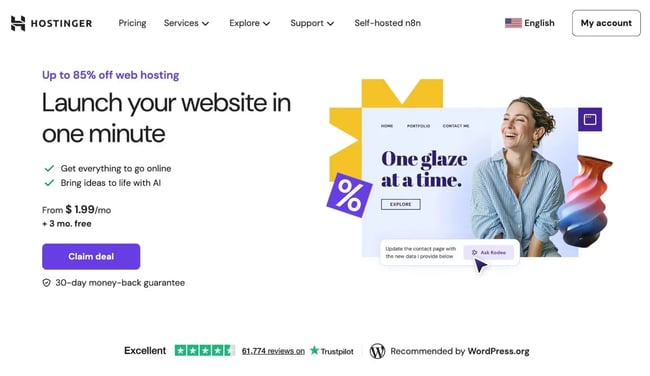
Best for: Small businesses that want powerful cloud hosting at an affordable price
G2 rating:
: Hostinger uses a WAF and DDoS traffic filter. Its Business web hosting and cloud hosting plans get an in-house CDN. It also offers malware protection, daily or weekly backups (depending on the plan), and SSL certificates.
Customer Support: Shared and cloud hosting plans receive 24/7 support via live chat, while cloud plans receive priority support.
Website Builder: Hostinger includes a drag-and-drop website builder and AI tools such as heatmaps and SEO tools.
4.
Bluehost is one of only three hosts officially recommended by WordPress.org, making it a strong starting point for small businesses building on WordPress. Bluehost was the very first web host I used when I started my first self-hosted blog in 2012, and I was a happy customer for four years.
It’s actually "WordPress.org's .” I can’t think of a greater vote of confidence for WordPress website owners.
However, I migrated my site to SiteGround in 2016 because I was experiencing slow server response times with Bluehost. Many bloggers I knew were in the same boat. On top of that, Bluehost has the lowest rating on the G2 reviews site of any host on this list: .
Overall, I think Bluehost shines when it comes to how easy it is to launch a WordPress website. For small business owners who feel overwhelmed by everything, Bluehost‘s simple guided setup wizard is excellent. Just be aware that Bluehost’s performance often lags behind some other providers on this list.
Bluehost offers a broad array of hosting types, including the following:
- Shared web hosting.
- Cloud hosting, including special WordPress cloud hosting plans.
- Managed VPS hosting.
- Self-managed VPS hosting.
- Dedicated hosting.
Having access to a full range of web hosting options is very appealing for small businesses as they scale. Upgrading as the site grows is a practical approach for small businesses planning to scale.
Something that alarmed me at first was seeing that the Basic shared hosting plan supports 100 concurrent visitors. When I asked the chat agent, they assured me the site will still handle the increased traffic — but users will experience lag. If more visitors are expected, upgrade to a higher plan.
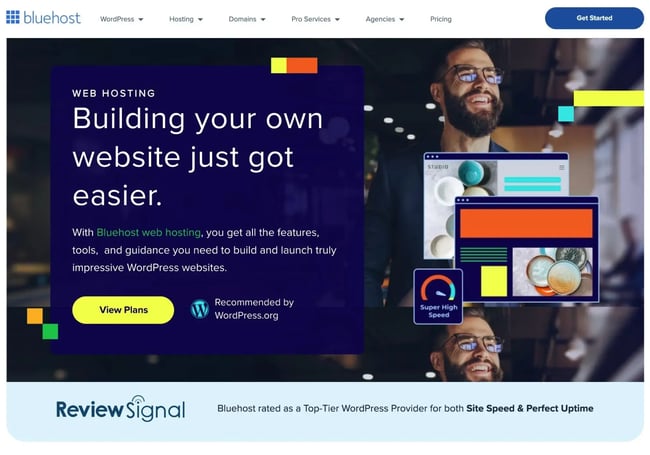
Best for: Small business websites that need WordPress-optimized hosting
G2 rating:
Security: Bluehost’s shared hosting plans include a CDN powered by Cloudflare, a Web Application Firewall (WAF), DDoS protection, and free malware scanning.
Customer Support: All of Bluehost’s shared hosting plans include 24/7 chat support. Its Choice Plus and Pro plans include phone support.
Website Builder: Bluehost recently launched its AI website builder based on WordPress, . Now, you can describe your site, and AI will build three different options for you.
5.
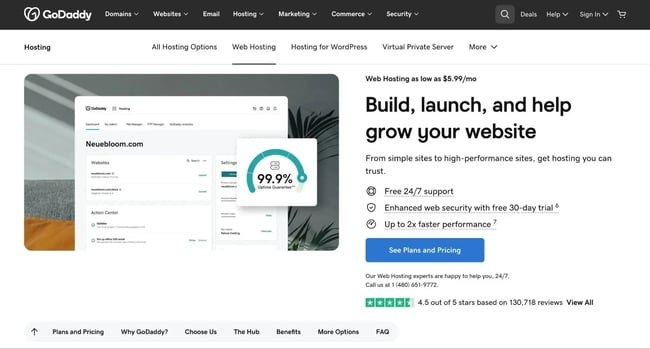
GoDaddy is one of the longest-established hosting providers available, offering affordable plans across shared, managed WordPress, and VPS hosting. It also offers some very affordable hosting plans, with its Basic plan costing only $4.99/mo (and no, that’s not just a first-year promotional price).
GoDaddy now focuses on three different types of hosting:
- Shared hosting
- Managed WordPress hosting
- Virtual private server (VPS) hosting
In total, GoDaddy has at least 19 hosting plans — plenty to choose from. Note that GoDaddy .
Even with the most basic version of shared hosting, small businesses get unmetered bandwidth and daily backups. When you start with the most basic plan, you also get a free domain for a year and a free SSL certificate.
On three separate days, when I tried the AI chat and tried to connect to a human, GoDaddy’s site said it was experiencing “higher than normal volumes.” It took about one to several minutes to get connected.
GoDaddy offers free migration assistance for managed WordPress plans and a for others.
Best for: Small business owners looking for low-cost hosting from an established brand
G2 rating :
Security: Depending on your plan, GoDaddy offers daily or weekly backups, network security, DDoS protection, CDN, and free SSL.
Customer Support: GoDaddy offers 24/7 chat and SMS support. Certain plans, such as Managed WordPress Ultimate, get priority support.
Website Builder: GoDaddy has a website builder, but it’s separate from its hosting plans and requires a subscription. As with the other hosts, though, you could always install WordPress for free and use that as your website builder.
6.
DreamHost stands out because its shared hosting has the most generous money-back guarantee on this list. You get to request a refund from the date your account is opened (note: this applies only to shared hosting).
It’s also worth noting that DreamHost’s managed WordPress plans use a cloud server environment, which stands out from others on this list that use a shared server environment for managed WordPress hosting.
DreamHost’s sales support live chat started with a chatbot that offered responses to choose from. After three tries, I was connected to a human agent who quickly answered my questions about the different hosting plans.
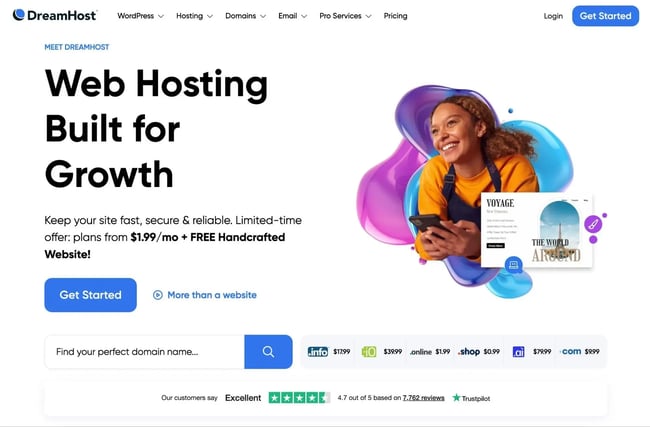
Best for: Small business owners who want the peace of mind of a 97-day money-back guarantee
G2 ratings:
Security: DreamHost offers free SSL, automatic WordPress updates, and daily backups on its shared and managed WordPress plans. VPS hosting includes automatic software updates, including the installation of security patches.
Customer Support: DreamHost provides 24/7 ticket support, live chat support, and phone support callbacks for its shared and managed WordPress plans. Its DreamPress Pro plan gives you access to priority support.
Website Builder: DreamHost offers an free with hosting. It also offers custom website design starting at $1,499.
7.
Squarespace is an appealing choice because, similar to , small business owners can build their website and host it in one place. However, it’s a more costly choice, as there isn’t a free option, so a business will need to allocate money for it in their budget. Squarespace does offer a 14-day trial.
If building an ecommerce site, Squarespace offers many commerce features, including secure checkout.
I moved my freelance business website from WordPress to Squarespace in 2023, and I was really pleased. In my opinion, Squarespace’s templates have superior design, and they're easy to modify with the drag-and-drop builder.
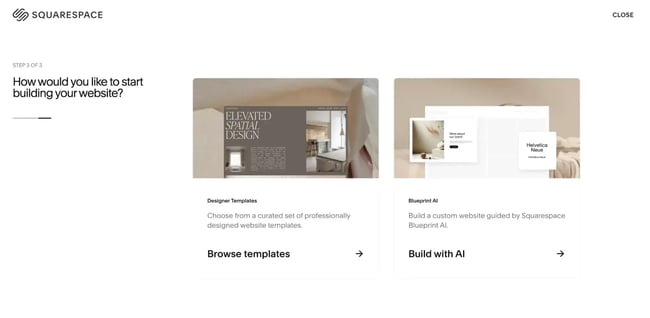
Squarespace has also added an AI website setup option via its Blueprint AI tool.
Unlike many other hosts, Squarespace does not offer a live chat during the buying process, so getting answers quickly is tougher. It does have a self-serve knowledge base you can search, though.

Best for: Small ecommerce businesses looking to build and host their website on one platform
G2 reviews:
Security: Squarespace offers many security features, including free SSL, DoS protection, and two-factor authentication.
Customer Support: Squarespace offers 24/7 customer support via email and X (formerly Twitter). It also Monday-Friday from 4 a.m. to 8 p.m. ET.
Website Builder: This is Squarespace’s bread and butter. It’s a popular website builder with premade templates and a drag-and-drop editor. Most recently, it launched an AI builder called .
8.
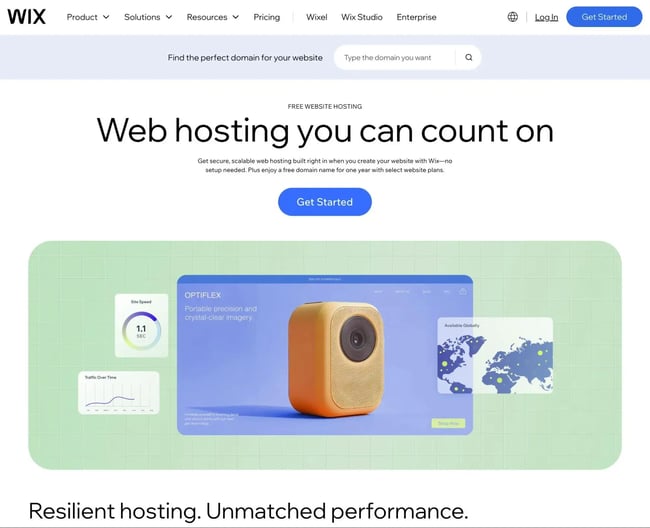
Similar to Squarespace, Wix is a website builder and host with ecommerce options, so you can create and host your website on one platform. Unlike Squarespace, you can use Wix for free for your small business. However, if you do so, you’ll have Wix branding on your site.
Wix offers four different plans: Light for $16/month, Core for $29/month, Business for $39/month, and Business Elite for $159/month. Wix has advanced security monitoring options to ensure your site is protected and an automatic setup when you create your website.
While researching the Wix website, I found no AI-powered chatbot or live chat option to answer my questions.
Best for: Those looking to build and host a small business website for free
G2 rating:
Security: Wix include free SSL, CDN, 2-step verification, secure payments, DDoS protection, and more.
Customer Support: For English-language support, offers 24/7 callback phone support and live chat support Monday-Friday from 2 a.m. to 6 p.m. ET. Wix also offers support in nine other languages, but with more limited availability.
Website Builder: Wix is a website builder with over 2,000+ prebuilt templates, a drag-and-drop editor, and an AI builder.
9.
Formerly known as A2 Hosting, Hosting.com is known for its speed, boasting unlimited NVMe storage and up to 20x faster performance on its Turbo shared hosting plans. It also offers free site migration and free SSL certificates.
The team is available to support you around the clock. Hosting.com offers a 99.9% uptime guarantee and will even give you your money back if you try the platform and are not satisfied within 30 days.
Hosting.com’s live chat instantly connected me to a human who promptly answered my questions about the plans. It’s worth noting that Hosting.com offers one of the most generous website migration services I’ve seen, available on all of its shared and managed hosting plans.
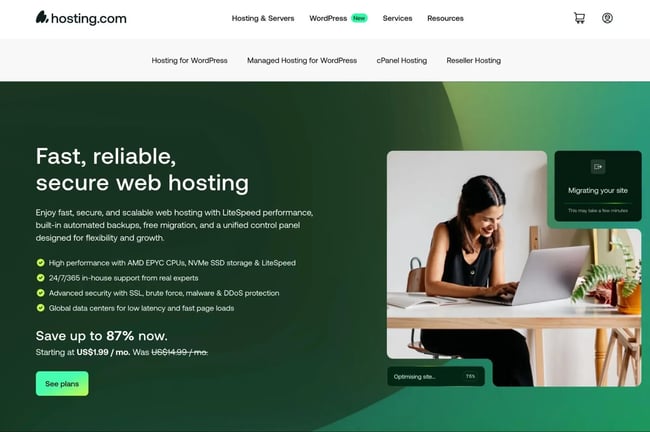
Best for: Small business websites with lots of traffic and higher performance requirements
G2 rating:
Security: Hosting.com offers DDoS protection, a web hosting firewall, virus scanning, 24/7 monitoring, and free SSL.
Customer Support: Hosting.com provides 24/7 customer support. You can reach support via phone or live chat or submit a ticket.
Website Builder: is free for a one-page website on a shared hosting plan, but it costs extra beyond that.
Frequently Asked Questions About Small Business Hosting
What is the best hosting for a small business?
The best web hosting for a small business depends on your budget, traffic, and how hands-on the business owner wants to be. Small businesses that want a built-in website builder can use an all-in-one tool like , while businesses that need more traditional hosting should consider managed hosting.
If a small business's website directly drives leads or sales, prioritizing performance and uptime usually delivers a better return than choosing the cheapest option. In most cases, paying a bit more for managed hosting saves time, reduces risk, and supports long-term growth.
Is there anything better than GoDaddy?
Yes — many small businesses find better value and performance with alternatives like SiteGround or Hosting.com, or a website builder with built-in hosting like . These hosts typically offer faster servers, more transparent pricing, and stronger customer support.
For businesses that care about speed, reliability, and support quality, switching to a more specialized hosting provider often leads to noticeable improvements in site performance and overall experience.
Is Google hosting free?
Google Sites is technically free, but it’s very limited for small businesses. While it works for simple internal pages or basic personal sites, it lacks advanced design control, ecommerce functionality, SEO flexibility, and third-party integrations that most businesses need.
Google Cloud hosting is not free in practice. Although it offers a small free tier and credits, it requires technical setup and ongoing management, making it better suited for developers than typical small business owners.
Which hosting type should small businesses choose?
Most small businesses are best served by managed hosting, which balances performance, security, and ease of use. It’s ideal for small businesses that want a fast, reliable site without worrying about updates, backups, or server maintenance. Shared hosting can work for small businesses just starting out and looking for the lowest possible cost, but it can quickly become limiting.
Cloud hosting makes sense if a small business's website experiences traffic spikes, runs an ecommerce site, or supports critical business functions. When choosing a hosting type, focus on how important uptime, speed, and support are to the business — not just the monthly price.
Best Web Hosting for Small Business Sites: Making the Right Choice
I know that finding the best web hosting for small business sites is overwhelming. I’ve spent countless hours trying to find one for mine, and I’ve even switched hosts a few times.
My two cents: for small businesses without an existing website to transfer, starting with a website builder that offers a free plan — such as 黑料吃瓜网's Content Hub — is the strongest option. Small businesses can create a website for free with 黑料吃瓜网 Content Hub, while still having access to a drag-and-drop builder and advanced marketing tools.
For small businesses with an existing website to transfer while keeping the same design, choosing a host that offers free website migration assistance — such as Hostinger or Hosting.com — is the way to go.
A few final guidelines for choosing the right hosting type:
- For a brand-new small business website, shared hosting plans are a great place to start
- For WordPress sites that need someone else to handle security and maintenance, a managed WordPress plan is the best fit
- For high-traffic sites that require more server resources, cloud hosting is the strongest option.
Editor's note: This post was originally published in September 2023 and has been updated for comprehensiveness.

Free Web Hosting with 黑料吃瓜网
Host your website on a fully managed and optimized infrastructure that scales with your business.
- Fully managed hosting
- No setup required
- No storage, traffic, or usage hosting fees
- Keep your website secure
Web Hosting


.jpg)
.webp)